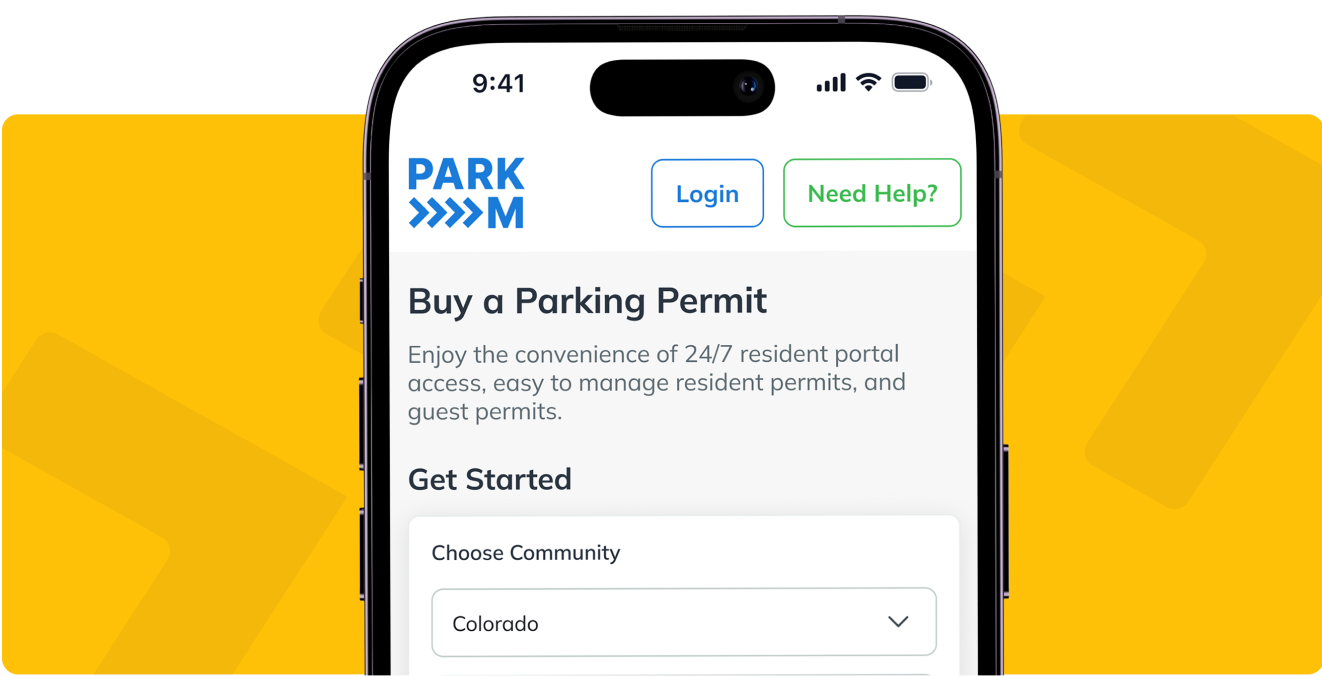
Cloud based parking management software runs in a web browser, so the property installs nothing. There is no server to run, no camera or gate to mount, and no app for residents or guests to download. Permits, enforcement records and revenue reporting sit in one hosted system, and everyone who needs to see them signs in from wherever they already are.
Every vendor on your shortlist will say a version of that. What separates them comes out later, when you ask what physically arrives at the property, what your team has to maintain, how long a rollout takes, how access works across more than one site, and where the data ends up.
Key takeaways
Nothing is installed at the property. The resident portal, the property manager portal and the enforcement portal all run in a browser.
The only physical items are parking signs. ParkM includes 10 with property-specific QR codes, and have the option to customize them to your brand colors and logo.
Getting started needs two inputs from you: a rent roll and a launch date.
One login covers a portfolio, and access is scoped by role, so a leasing agent does not see financials.
ParkM does not integrate with property management systems today. If a PMS connection is a requirement, ask for it in writing from every vendor on your list, including this one.
What cloud based parking management software changes for the property
The older model for parking control was equipment. A gate, a reader, a kiosk, a camera on a pole, and a maintenance contract underneath all of it. Somebody at the property owned that hardware, and when it failed, somebody at the property got the call.
A hosted system moves the whole thing off site. The software runs on ParkM’s infrastructure and is reached through a web browser, which changes three practical things for an on-site team.
Nothing is racked, mounted, or wired at your community.
Nothing has to be updated, patched, or version-matched by your team.
And nothing is tied to a single desk, because the portal opens on a phone in the parking lot as readily as on the office computer.
With ParkM the resident’s license plate is the permit, so there is no sticker to print, no hang tag to hand out, and no decal for a leasing agent to reorder. If you want the mechanics of that, how virtual permitting works covers the permit itself. This page stays on the deployment question.
What gets installed at your community
Signs. That is the list.
ParkM includes 10 parking signs with property-specific QR codes. You do have the option to have them produced in your brand colors and with your logo for a small fee. Residents and guests scan one to reach the registration page. If your lot needs more than 10, the extra signage comes out of the revenue the program generates rather than arriving as an invoice.
There is no camera to mount and no reader to buy. License plate recognition is built into the enforcement app, which runs on your towing or booting partner’s own phone. They scan plates against the live permit list from the vehicle they already drive, and training a tow company on it takes minutes.
One caveat, because several vendors in this category now run without equipment: the absence of hardware does not separate one vendor from another. Ask each of them what arrives in a box instead, because a few still ship it.
Your IT team has nothing to maintain. There is no install, no server, no database to back up on your side, and no software version for anyone at the property to keep current. Residents and guests do not download anything either. The resident portal is a web page, with a language switcher built in, and ParkM sends bilingual English and Spanish launch letters as standard.
Want to see the portal itself rather than read about it? Book a demo and ask to be walked through the property manager view.
What happens on day one, and what ParkM needs from you
Two things: a rent roll and a launch date. That is what starts the process.
From there a dedicated launch coordinator runs a calendar with dated milestones, and the sequence is the same at every property. Launches start on a Monday, which sounds like a small detail and is not, because it means the resident-facing communications, the office questions and the enforcement change all land inside one working week rather than trailing across two.
Residents get a notice before anything changes. Then the enrollment window opens and they register at no charge, with reminders through it, so the office is not fielding a rush on the last day. Paid permits switch on after that. Warning notices come before any enforcement, and enforcement is the last step rather than the first.
ParkM writes the resident communications, trains your staff, shows up to help answer resident questions, and trains your enforcement partner. Launch support stays active through the first 60 days, and an account manager picks it up after that.
Existing residents can be grandfathered in, which means they enroll free and only new move-ins are charged, so the rules do not change mid-lease for anyone already living there. How ParkM works walks through that in full.
How access works across a portfolio
Push hardest here if you run more than one community, because this is where a single-site product shows itself.
One login covers every community you run. A portfolio switcher moves between properties without signing out and back in, so a regional manager sees the whole set and each on-site manager sees their own community.
Access is scoped by role. A property manager gets the full view, including revenue. A leasing agent gets the operational view without the financials. Staff, vendors, and anyone else you name can go on a no-tow list, and a plate can be blocked outright, for instance after an eviction.
The enforcement portal is separate and deliberately narrow. Your towing partner sees vehicle and permit data and nothing else. They do not see resident financials, lease data, or anything about your property beyond which plates are authorized right now.
The property manager portal is where the day to day happens: active permits, enforcement history with timestamps, revenue broken out by permit type, and compliance flags on residents with repeat warnings.
Where the permit data sits, and what it does not connect to
Registration captures the license plate, the vehicle details and the last six digits of the VIN. The vehicle registration document is deliberately not among them. Those VIN digits do one job: the tow operator checks them against the vehicle before it moves, so a misread plate cannot, on its own, produce a tow.
The permit record, the enforcement history and the revenue reporting all live in the property manager portal. Payments are processed by Stripe, so card details go to the processor rather than to your office.
Now the answer an RFP will look for.
ParkM does not offer property management system integrations today. Not for any PMS. Your rent roll or unit directory goes in at launch, and again when you ask for a parking audit that reconciles registered vehicles against units and leaseholders. Both are things you send, not a live connection.
If a two-way PMS integration is a hard requirement for your organization, that is a real gap and you should weigh it. If it is on the wish list rather than the requirement list, it is worth asking any vendor claiming one exactly which fields sync, in which direction, and how often, because the claim is more common in this category than the capability.
Budgeting for cloud based parking management software
The software line stays empty at your end.
There is no cost to the property and no monthly billing to the property. ParkM is funded by the permits residents and guests buy, and the property sets what those permits cost at its own community. The vehicle owner pays, and the property receives a share of it.
There is no contract. Cancellation takes 30 days notice.
Two implications for a shortlist. The first is that the usual software line items are not in this model, so a budget comparison against a per-space or per-door subscription is not a like-for-like comparison. The second is that this shape does not suit everyone: a community association that would rather pay a flat monthly fee than have owners charged individually is a poor fit for the model, and it is better to find that out now than in month three.
100% tax credit properties, which cannot legally charge a resident to park one vehicle on site, run on a First Car Free arrangement instead.
Who supports it, and who residents call
ParkM takes the resident and guest support calls directly. Not the leasing office. A resident who cannot log in, needs to swap a vehicle or wants to cancel a permit goes to ParkM, and that is the single biggest operational reason this does not become another thing your team administers.
Support is US-based and runs seven days a week. A published ParkM customer puts it better than we could:
“We are so thankful for the fast customer service that we receive through ParkM. If any of our staff ever has a question ParkM support is able to respond to us within a 10-minute time frame.”
Vanessa D., Parkwood Plaza and Continental Court, AMC
Residents can also handle most of it themselves, at any hour. Registration, vehicle changes, guest permits and cancellations are all self-service, and expiration reminders go out by email and text before a permit lapses. Guest permits get bought at night and on weekends, which is when self-service earns its place.
Questions property managers ask about cloud based parking management software
Do we have to install anything at the property?
No. There is no server, no gate, no kiosk and no camera. The only physical items are parking signs with your property’s QR code, and ParkM includes 10 of them. Anything beyond that comes out of program revenue rather than an invoice.
Does ParkM integrate with our property management system?
No. There are no property management system integrations available today, for any PMS. You send a unit directory at launch and a rent roll when you want a parking audit. If a live PMS connection is a requirement for your organization, weigh that before you shortlist.
Can we run several properties from one login?
Yes. One login covers a portfolio, with a switcher to move between communities. A regional or portfolio manager sees every property, each site manager sees their own, and access is scoped by role so a leasing agent sees operations without financials.
What do you need from us to get started?
A rent roll and a launch date. A launch coordinator handles the rest, including the resident communications, staff training and training for your towing or booting partner. Launches begin on a Monday, and active launch support runs through the first 60 days.
What happens if we want to stop?
There is no contract, and cancellation takes 30 days notice. Residents and guests can cancel a permit at any time with no cancellation fee, which is separate from a refund: payments already due are non-refundable.
What to ask every vendor on your shortlist
Most cloud based parking management software looks similar on a feature grid. Five questions separate the answers quickly, and they work on any vendor in this category, including this one.
What physically arrives at the property, and who owns it when it breaks?
Who takes the resident’s call at 9pm on a Saturday, my team or yours?
Which property management systems do you integrate with, which fields sync, and in which direction?
What does a rollout need from my team, in hours, and how long does the first one take?
What does it cost my property, and what does it cost my residents?
ParkM’s answers to all five are above, which is the point of publishing them rather than saving them for a call. Put the same five questions to every other vendor on the list and compare what comes back.
Then bring your parking map to a demo and check the portal against your own lot.
ParkM’s parking management software features carries the full capability list rather than the deployment question, and apartment parking management for property managers covers what the day to day looks like for an on-site team.