A virtual parking permit is a license plate on an authorized list. The resident registers the car online, the plate becomes the permit, and there is nothing to print, hand out, stick to a windshield, or replace. One record, held in one place, that your team, your residents, and your enforcement partner all read from.
If you run parking today with hang tags, window clings, or a numbered sticker, you already know where the work sits. The tags are the easy half. The work is the afternoon spent finding out whose car is in space 14, the resident at the desk because the Sharpie wore off the number, and the binder nobody trusts enough to act on.
Key takeaways
A virtual parking permit is a registered license plate, not a physical object, so there is nothing to issue, replace, or fake.
Residents register their own vehicles online at any hour, and a permit is active the moment it is purchased.
The property sets the permit types, the limits, and the prices. That does not change when the permits go digital.
Existing residents can be enrolled free and left on their current terms, so the rules do not change in the middle of somebody’s lease.
ParkM costs the property nothing. There is no monthly billing to the property, and the vehicle owner pays for the permit.
What a virtual parking permit actually is
A physical permit is a token that stands for a record. Somebody looks at the windshield, reads the number, and then has to go and find what that number means.
A virtual permit removes the token and keeps the record.
The resident’s license plate is the identifier. When a vehicle is registered to a unit, that plate is on the authorized list for your property, with the permit type, the unit, and the dates attached to it. Checking a car means checking the plate against the list, which takes seconds and does not depend on anybody having remembered to display anything.
There is no permit to lose, so there is no replacement to issue. There is nothing to hand between cars, so a permit cannot quietly become two. And because the record is the permit, changing a permit is an edit rather than a reprint.
The vocabulary varies. Virtual parking permits, digital parking permits, electronic parking permits, and an online parking permit system all describe the same arrangement: the plate is the credential and the credential lives in a system rather than on the glass.
How a resident gets a permit
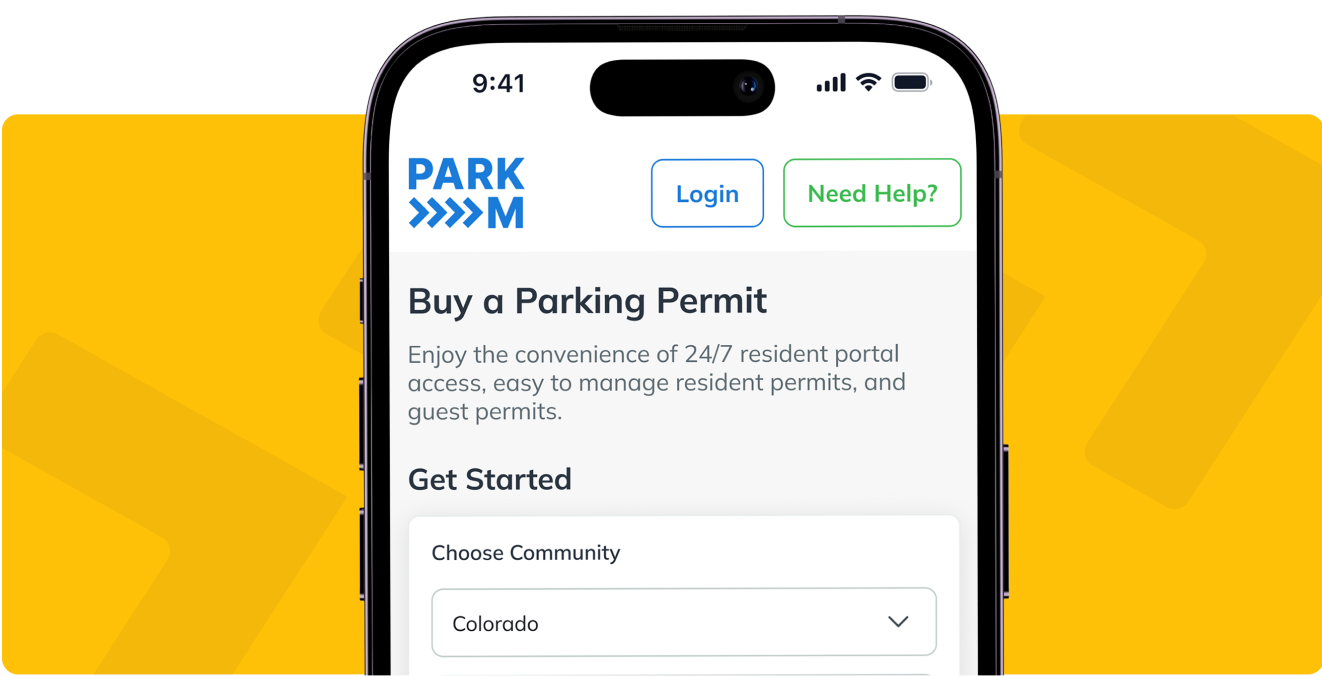
The resident goes to the parking portal for your property, enters their vehicle details, and buys the permit they are entitled to. It takes a few minutes and it happens on their phone.
Three details matter more than they look:
- There is no app to download. ParkM’s resident portal, parkm.app, runs in a browser. Nobody has to find the right listing in an app store, and nobody is blocked because their phone is full.
- Registration captures the license plate and the last six digits of the VIN. ParkM deliberately does not ask for vehicle registration documents, because every extra field is a resident who gives up halfway. Those VIN digits do one job later, and it is covered on our parking enforcement services page.
- The permit is active the moment it is purchased. There is no overnight sync and no gap between a resident paying and being safe on your lot.
Self-registration is available around the clock, which matters because parking problems do not keep office hours. A resident who moves in on a Saturday does not wait until Monday to be registered, and a resident whose car is in the shop registers the loaner before they park it.
The portal reads in the language the resident’s own device is set to, which removes a real barrier at communities where English is a second language for part of the community.
How guest permits work
Guests are usually where a paper system breaks first, because a guest arrives when the office is closed and nobody is there to hand out anything.
With a virtual permit, a resident can arrange a guest permit at any time, or the guest can buy one directly without going through the resident at all. The plate is registered for the window it covers, and that is the end of it.
The property still sets the rules around them. You decide how many guest permits a unit gets, how many nights in a row a single vehicle may use one, and whether there is a cap across the whole community on any given night. Those settings are the answer to guest parking quietly becoming resident overflow parking.
If guest and visitor parking is the pressure point at your community, our visitor parking permits page goes into how that side is configured.
What the leasing office stops doing
Every item below is an errand that currently has somebody’s name on it.
- No office visits to collect or replace a permit. The resident does it themselves, and so does the guest.
- No reordering, printing, or distributing. There is no annual print run and no box of unissued tags in a drawer.
- No handwritten numbers to decipher. Nothing wears off, peels off, or ends up in the wrong window.
- No cross-referencing a spreadsheet against a binder to work out whether a car belongs on the property.
- No resident and guest support landing on your desk. ParkM handles resident and guest support directly, so the person with a login problem calls ParkM instead of your leasing team.
That last one is easy to overlook before a rollout. A parking program creates support load. The question is whose desk it lands on.
What you can see that you cannot see today
The other half of removing the token is that everything becomes visible at once, because it was all one record from the start.
From the property manager portal you can see every active permit at your property, which vehicle belongs to which unit, and the enforcement history with timestamps against it. You can drill into a vehicle or into a resident. You can see permit revenue broken out by permit type.
A few controls come with that view:
- A no-tow list for staff, vendors, contractors, and anyone else you name, so the people who are supposed to be there are never at risk.
- Plate blocking, for a vehicle that should no longer be on the property at all.
- Compliance flags on residents who have collected repeated warnings, so a pattern surfaces before it becomes an argument.
- One login across a portfolio, with a portfolio view for regional and area managers and a single-property view for the site team.
- Two access levels, so a leasing agent can do the day-to-day without seeing the financials.
Because every vehicle is tied to a unit, the data also answers a question that has nothing to do with parking. Cars that never move, cars registered to units that should not have them, and vehicles that suggest more people are living somewhere than are on the lease all become visible. ParkM can run an audit against an updated rent roll on request.
The full capability list is on the ParkM features page.
Renewals, new cars, and move-outs
Permits renew monthly and they renew themselves. The resident is not filling in a form again every year and your team is not chasing anyone.
Reminders go out before a permit expires, by email and by text, so an expiring permit is the resident’s problem to solve before it is your problem to enforce.
The changes that used to mean a trip to the office are now edits the resident makes:
- A new car is a vehicle swap in the portal. No permit to peel off the old windshield.
- A rental or a loaner is registered for as long as it is there.
- A cancellation can be made at any time with no cancellation fee. Payments already taken are not refunded, and permits auto-renew until they are canceled, so both halves belong in the resident communications at launch.
What a virtual permit replaces, operationally
A sticker program has a per-tag cost, and that is the number people quote. It is the smaller of the two numbers.
The larger one is that a physical permit cannot be changed without a physical act. Every move-in, every second car, every guest, and every mistake becomes an errand for somebody, and the errand is the cost. That errand is what a virtual permit removes.
We have put the arithmetic, including what clings and hang tags run in volume, on a separate page: parking permit stickers versus a digital permit.
Grandfathering: switching without changing the rules mid-lease
The hard part here is a conversation at the leasing desk. A resident who has parked free for three years is now being asked to pay, and somebody on your team has to explain that.
ParkM’s answer is grandfathering.
Existing residents are enrolled free. Only new move-ins are charged. Nobody’s deal changes in the middle of their lease.
You pick the shape:
- Existing residents park free until their lease renews, and the new terms apply from the renewal.
- Or existing residents park free for as long as that tenancy lasts, and the change reaches them only when they move out.
Either way you are handling it one lease at a time as leases come up, rather than announcing a new charge to a full building on the same morning. It is the same pattern a property uses when it introduces utility billing: apply it to incoming residents, leave the incumbents alone, and let the change arrive with the paperwork people are already expecting.
Grandfathered residents still hold a permit. It is a free permit, which means the plate is registered, the vehicle is visible, and the lot works from day one, without anyone being billed who was not expecting it.
Rolling it out across a community
Two things start it: a unit directory or rent roll, and a launch date.
From there the sequence is the same at every property.
- Configure the program. Permit types, limits per unit or per leaseholder, guest rules, reserved and premium spaces, and who is grandfathered on which basis.
- Notify residents before anything changes. Pre-written resident notices go out ahead of the start date, so the first a resident hears of it is not a warning sticker.
- Open a free registration window. Residents register their vehicles with no charge and no enforcement, with reminders through the window for the people who have not.
- Turn paid permits on for whoever is not grandfathered.
- Warn before you enforce. Warning notices come first. Enforcement starts after residents have had a real chance to register.
ParkM provides a launch coordinator, staff training, training for your enforcement partner, and 10 parking signs carrying a QR code specific to your property, which is how most residents reach the portal in the first place.
The point of the sequence is that nobody is caught out. A resident who has been told three times, given a free window, and warned once has no argument left, and a leasing team that can say all three things is not the villain.
Our post on moving from manual parking management to a digital system covers the internal side of the same change, and resident self-management covers what shifts to the resident.
Who checks the plates
A virtual permit is only worth having if somebody acts on it, and that is a separate job from issuing it.
ParkM is the permit and visibility layer. It records which plates are authorized and puts that list in the hands of your enforcement partner, who checks plates from a phone rather than walking the lot reading windshields. You keep your own towing or booting company and you keep the agreement you have with them.
ParkM does not tow vehicles and does not replace the company that does.
Two pages cover that side properly: parking enforcement services sets out who does what between you, ParkM, and your enforcement partner, and the no bad tow guarantee covers what happens when a vehicle is towed that should not have been.
Who pays for a virtual permit
The people parking do, which is what keeps the program off the property’s budget.
ParkM is free to the property. There is no monthly billing to the property. The vehicle owner, meaning the resident or the guest who buys the permit, is the one who pays for it, and that is where ParkM is paid from.
The property still sets its own permit prices, and it can change them.
What the property decides, and what it does not
Going digital changes the mechanism, not who decides.
| The property sets | Detail |
|---|---|
| Permit types | Resident, second vehicle, guest, reserved, and public, in whatever combination the community needs |
| Who may hold one | Limits by unit or by leaseholder |
| Guest rules | Number of permits, consecutive nights allowed, and a nightly cap across the property |
| Price | You decide what a permit costs at your community, and you can adjust it |
| Who is exempt | The no-tow list, and who is grandfathered on which basis |
| Enforcement terms | Agreed directly with your own towing or booting partner |
| Whether to continue | No contract, and 30 days notice to end it |
When a virtual parking permit is not worth it
If your community has abundant free parking, no scarcity, and no complaints, there is nothing here for you to solve. A permit system governs a shortage. Where there is no shortage, it is a program in search of a problem, and you would be adding a charge to your residents’ lives for no operational return.
The properties where this earns its place have pressure of some kind: cars that do not belong there, guest parking absorbing resident spaces, assigned spots used as storage, or a lot small enough that the difference between 200 registered vehicles and 260 actual ones is somebody’s evening.
Questions property managers ask about virtual parking permits
Do residents have to download an app?
No. The resident portal runs in a web browser on a phone, tablet, or computer. There is nothing to install and nothing to keep updated.
What about residents who are not comfortable online?
They register the same way, and the portal is deliberately short: vehicle details and payment. ParkM takes resident and guest support calls directly instead of routing them to your leasing office, so a resident who is stuck gets help from someone whose job that is, seven days a week.
What happens when a resident changes cars?
They update the vehicle in the portal and the permit follows. There is no permit to remove from the old car and nothing to issue for the new one.
Can we limit how many permits one apartment gets?
Yes. Limits are set by unit or by leaseholder, so a two-bedroom with two people on the lease can be capped at two resident permits, and guest permits can be capped separately, both per unit and across the property per night.
Do we have to charge our existing residents?
No. Existing residents can be enrolled free and left on their current terms, either until their lease renews or for as long as that tenancy lasts. Only new move-ins are charged, so nobody’s deal changes mid-lease.
What if our property legally cannot charge for parking?
A 100% tax credit property cannot charge a resident to park one vehicle on site, so those communities run on a First Car Free model: the first resident vehicle is free, and guest parking and any additional resident vehicles are handled separately.
Does a virtual permit system integrate with our property management software?
No. There are no property management system integrations available today, for any property management system. Resident and unit data can be imported to get ParkM started, and after that the permit record lives in ParkM. If your team has a specific requirement, raise it with us directly rather than assuming either answer.
How long does it take to get started?
You need a unit directory or rent roll, and a launch date. Setup, resident notices, and a free registration window all run before any resident is charged and before any enforcement begins.
What to do with this
A virtual parking permit is a smaller change than it sounds. A physical object that was never the point goes away, and a list you can actually act on arrives in its place.
The rules stay yours. The prices stay yours. Your tow company stays yours. What changes is that nobody has to be handed anything, and nobody has to work out what a number on a windshield means.
Read the rest first if that suits you better. Our page for property managers covers the rest of what ParkM does, and how ParkM works covers the mechanics end to end. When you would rather see it against your own lot than on a page, book a demo and we will go through your permit types and how grandfathering would apply to the residents you already have.