
Contact Form for Residents
Welcome to ParkM! It seems you have stumbled upon our site designed for Property Managers. If you’re a resident looking to manage your parking permits or have any questions about your account, you’re just a click away from all the help you need.
- Need to manage your parking permit or pay a ticket? Visit our Residents' Portal for all your parking needs.
- Looking for information or need assistance? Fill out the contact form below, and our dedicated support team will get back to you shortly.
Support
Phone
(800) XXX-XXXX
General Information
See ParkM in Action
Set up a demo today to experience how ParkM can redefine parking management at your property.
Frequently Asked Questions for Residents
Check out our FAQs page for quick answers to common questions.
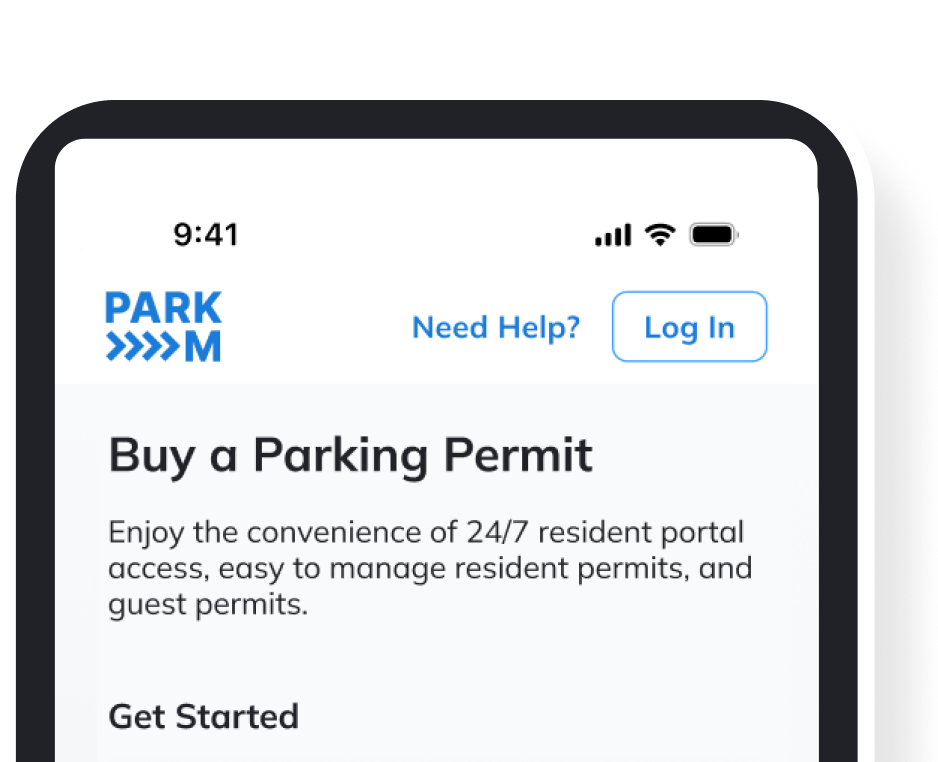
You can purchase your parking permit by visiting Buy a Parking Permit. Follow the straightforward steps to secure your parking space.
Log in to the Resident Portal, in your home page under Permitted Vehicles, find the listed car you would like to remove from your account. A red, “Cancel Permit” should appear.Then a warning message will pop up to confirm the vehicle you want to remove. Select “Cancel Permit.”
To update your vehicle information, log in to your account on the Residents’ Portal and edit your vehicle details under your profile settings.
From the Resident Portal, delete a vehicle from your account altogether by canceling any active permits on the vehicle (see “How do I cancel a permit?” above).
Log in and navigate to My Account in the Resident Portal, by clicking the identity icon in the top right corner. Once you are in your account, select “Manage Payment Methods.” From there, you can use the “Add payment method” button or “Delete” unused cards. Select your default payment method on this screen as well.
Residential parking is all about having a safe and convenient spot for your car in your apartment community. Permitting these areas helps make sure there’s enough room for everyone who lives in the community to park, keeping things organized and fair. For streamlined parking management, communities across the U.S. trust ParkM to keep their residents happy.
To get a resident parking permit, login or create an account through parkm.app, our ParkM Resident Portal. From there, choose your community and follow the steps to verify your vehicle information and address.
Your resident permit will be set to auto-renew with your initial purchase. If auto-renew is not selected, simply click on the existing resident permit and tap “Renew.”
With a resident permit, you can park in any designated residential parking zones within your community. When purchasing a permit through your ParkM account, look for any specific details about parking at your community when choosing your permit type.
You can renew your resident parking permit by reapplying through the issuing authority, often requiring updated proof of residency and a renewal fee. ParkM’s Resident Portal, with service options available across the USA, makes permit renewal hassle-free.
The cost of a resident parking permit varies by location and property management policies at your community. If you have questions about permit pricing at your community, reach out to support@parkm.com for more information.
Not a Resident?
If you are a property manager interested in implementing ParkM solutions at your location, learn more about our services and how ParkM works to enhance your property’s parking management system.
We’re here to ensure that managing your parking needs is as seamless as possible. Whether you’re a resident needing help with a permit or a property manager looking to streamline parking at your property, ParkM has the tools and support you need. For more detailed inquiries, our FAQ page has all the answers to help guide you through the process. If you can’t find what you’re looking for, don’t hesitate to reach out through our contact form.